
Wiki / Getting started
Getting started
What Card Coach does and the fastest way to try it.
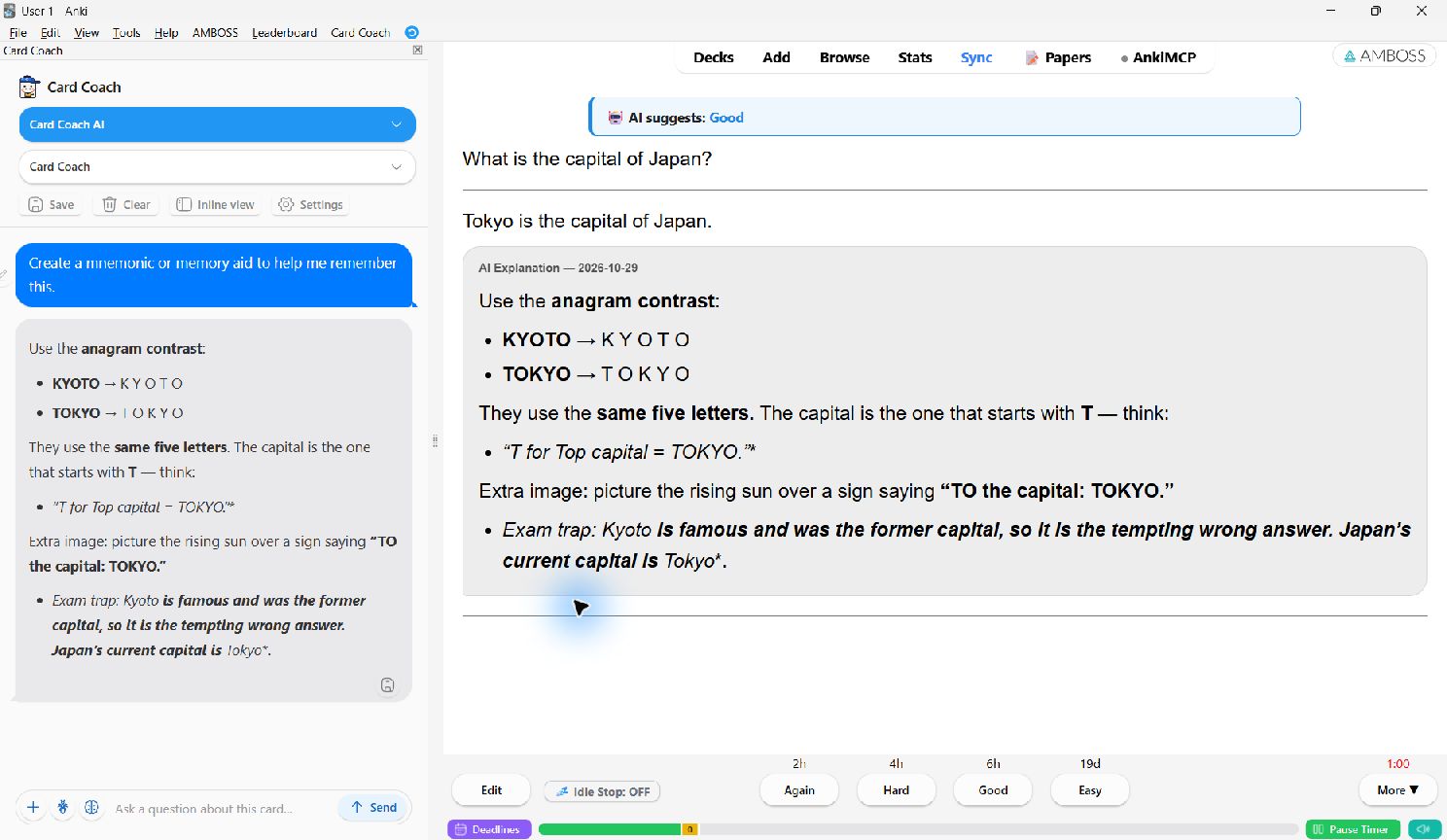
Card Coach is a free Anki add-on that puts an AI tutor on your review screen. It reads the card you are studying, so you can ask about it directly: why the answer is right, a mnemonic, more examples, a translation. It can also grade an answer you type from memory.
Quick start
- Install it. In Anki, open Tools → Add-ons → Get Add-ons…, paste
1853880217and restart Anki. Details - Connect an AI. Open the new Card Coach menu, pick Card Coach AI and click Free. You sign in in your browser and Anki connects by itself. Other options
- Review as usual. Flip a card, type a question in the Card Coach box below it, and press Enter. How the chat works
What you can do
Ask about a cardChat below the card or in a side panel, with one-click quick prompts.
Give Your AnswerType your answer on the front. The AI recommends Again, Hard, Good or Easy.
Select textDefine, explain, translate or highlight any phrase on the card (beta).
Save to cardKeep a good explanation in a note field for next time.
Image cardsLet a vision model read diagrams, ECGs and histology slides.
Browser and Bulk ExplainChat in the Card Browser, or explain dozens of cards in one run.
Requirements
- Anki desktop 2.1.45 or newer on Windows, macOS or Linux.
- An internet connection while you ask questions.
- AnkiDroid, AnkiMobile and AnkiWeb in the browser can't run add-ons. Saved explanations and highlights still show there, because they are stored in the note.
FREE
The add-on itself is free with no locked features. You can use free OpenRouter models, the free starter quota on Card Coach AI, or your own API key. Paid Card Coach AI plans are optional. See Account, quota and plans.